The Booking You Never Hear About
A customer finishes work at 9:30 p.m., opens their phone, and searches for a barber, an auto body shop, or a restaurant near them. They find your business. They like what they see. Then they hit the same wall your customers have been hitting for years: no way to book.
There’s a phone number, maybe a contact form that says “we’ll get back to you.” So they go back to the search results, find a competitor with a Book Now button, pick a time, and get an instant confirmation. You never get a call. You never get a message. You never even know that customer existed.
This is the quiet leak in most local service businesses. It’s not that customers don’t want you — it’s that booking with you takes effort, and booking with your competitor takes thirty seconds. Online booking isn’t a nice extra anymore. It’s how customers expect to buy your time.
The good news: you don’t need expensive software or a rebuilt website to fix it. You need the right setup, in the right place, with the right details. Here’s how I approach it.
What Customers Actually Expect When They Book Online
Forget what booking software companies promise. From the customer’s side, good online booking comes down to a handful of expectations — and if any one of them is missing, they bail.
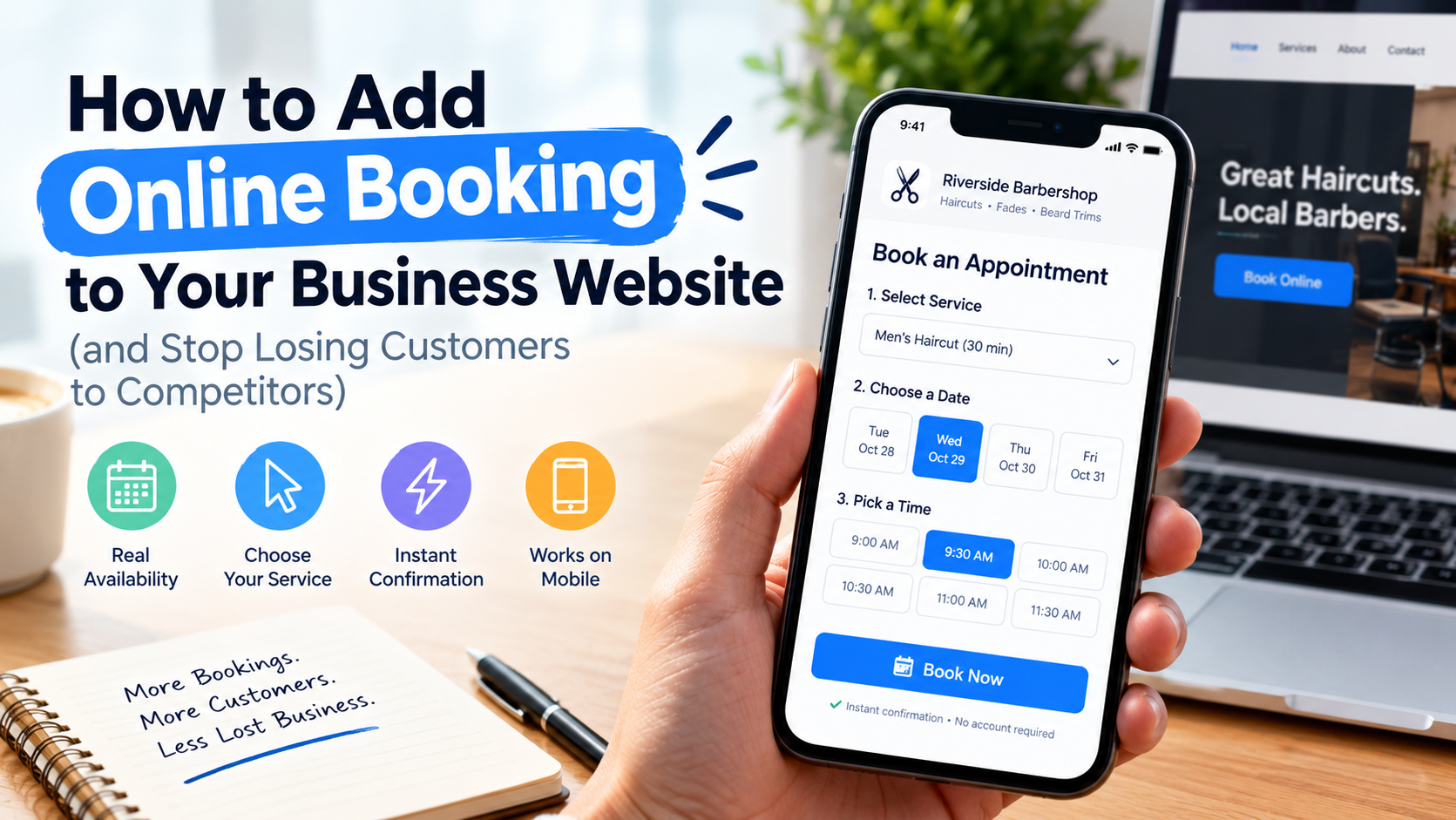
First, they expect to see real availability, not a form. A form that says “request an appointment and we’ll confirm” is not online booking. It’s an email with extra steps, and it puts the customer back into waiting. Real booking shows open times and lets them pick one.
Second, they expect to pick a specific service. A barber’s customer doesn’t want “appointment” — they want a fade, a beard trim, or both, with the right amount of time blocked out. An auto shop customer wants an estimate appointment, a brake inspection, or a collision repair consult. If your booking page only offers one generic option, customers either book the wrong thing or give up.
Third, they expect instant confirmation. A confirmation screen, a confirmation text or email, and a calendar invite. That confirmation is what turns “I might go” into “I’m going.”
Fourth, they expect it to work on their phone, in under a minute, without creating an account. Every extra field, every forced login, every slow-loading page costs you bookings. Most of your booking traffic arrives on a phone, often from Google Maps or a search result, and those customers are deciding fast.
If your current setup fails any of these tests, it’s not really online booking — and it’s probably costing you more customers than you think.
Step 1: Decide What Customers Can Actually Book
Before you touch any software, list the services customers should be able to book on their own. This is the step most businesses skip, and it’s why so many booking pages feel confusing.
Walk through your real week and write down the appointments you actually take:
- Services and durations. A haircut takes 30 minutes, a color service takes two hours, a brake inspection takes 45 minutes. Set the duration honestly. If bookings run over because the time was wrong, your whole day slips — and customers notice.
- Prices or price ranges. You don’t need an exact quote for every job, especially for auto repair or contracting work. But a starting price, or “free estimate,” removes the fear that booking commits them to something expensive. A customer who sees “estimate — free” books far more readily than one who sees nothing.
- Who provides the service. If customers have a favorite barber, stylist, or technician, let them pick that person. If it doesn’t matter, don’t force a choice — “first available” is a perfectly good option and it’s faster.
- What you don’t book online. Not everything belongs on a booking page. A full collision repair, a major renovation, or a large catering order usually needs a conversation first. For those, offer a “request a consultation” option alongside regular booking, so customers still have a clear next step instead of a dead end.
A clean booking page offers a short, clear list of real services — not your entire price list, and not one vague “appointment” button. When a customer can find their service in five seconds, they’re halfway booked.
Step 2: Pick a Booking Tool That Fits Your Business
There are dozens of booking tools, and the right one depends less on features than on how your business actually runs. Ignore the feature lists for a minute and ask three questions: who books, how do they find you, and what happens after they book?
For most local service businesses, one of three setups covers it:
- A booking tool built into your website platform. If your site already runs on a builder with scheduling built in, this is often the simplest path — one login, one bill, and the booking page lives on your own site. Good for salons, studios, and solo operators who want one system.
- A dedicated scheduling app. These are built for appointment businesses and usually handle staff calendars, reminders, and deposits better than a general website builder. Good for barbershops, salons, auto shops, and any business where multiple staff members take bookings.
- A booking button on your Google Business Profile. Google lets eligible businesses add a booking link to their profile, so a customer who finds you on Maps can book without ever visiting your site. Start at Google Business. This isn’t a replacement for booking on your website — it’s an extra door. If you haven’t claimed and completed your profile yet, that’s the first job; I covered the full playbook in my Google Maps post.
Whichever route you pick, check these four things before you commit: it shows real-time availability (not a request form), it sends automatic confirmations and reminders, it works cleanly on a phone, and you can embed it on your own website — not just link out to a third-party page with someone else’s branding. Your website should be where the booking happens. Sending customers away to book is sending them one click closer to a competitor.
One more thing to check: who owns the customer list. Your booking tool should let you export your customer names, phone numbers, and booking history. If you ever switch tools, that list is your business. Don’t build your entire customer base inside a system you can’t leave.
Step 3: Put the Book Button Where Customers Can Find It
I’ve audited websites where the booking tool was set up perfectly — and buried three clicks deep under a “Contact” menu. Nobody found it. Placement matters as much as the tool itself.
Your booking button belongs in every place a ready-to-buy customer lands:
- The top of your homepage, in the header, visible without scrolling. Not “Contact Us” — “Book Now” or “Book an Appointment.” The wording matters: “Contact” sounds like a conversation, “Book” sounds like a done deal.
- Every service page. A customer reading about paintless dent removal or a bridal package shouldn’t have to navigate back to the homepage to book it. The button on that page should ideally take them straight to that service.
- Your Google Business Profile, linked to the same booking page so Maps customers land in the same place.
- Your social media profiles, in the bio link or booking button, pointing to the same page — not to three different tools.
And the booking page itself needs to load fast and look like your business. A slow page, a page that looks nothing like your site, or a page that asks for an account before showing any times will lose the exact customers you worked to attract. Test it yourself on your phone, on your own data connection, the way a customer would. If it frustrates you, it frustrates them.
Step 4: Kill No-Shows With Confirmations and Reminders
The number one fear I hear from owners considering online booking is no-shows: “If people can book without talking to me, they won’t show up.” In practice, the opposite usually happens — if you set up reminders properly.
A customer who books online and hears nothing until the appointment is the one who forgets. A customer who gets a confirmation immediately, a reminder the day before, and a reminder a few hours before is the one who shows up — or reschedules in time for you to fill the slot.
Set up this sequence:
- Instant confirmation by text or email the moment they book, with the service, date, time, and your address.
- A reminder 24 hours before, with a one-tap way to confirm, reschedule, or cancel.
- A same-day reminder for early-morning appointments, when a customer booked days ago and the day has crept up on them.
For services where a no-show costs you real money — a two-hour color appointment, a full detailing slot, a booked bay — consider a deposit or card-on-file policy, clearly stated on the booking page before they confirm. Customers accept this far more readily than owners expect, because it signals that your time is valuable and the appointment is real. What they don’t accept is a surprise charge they weren’t told about. State the policy plainly, in one sentence, on the booking page.
And make rescheduling easy. A customer who can move their appointment in thirty seconds is a customer you keep. A customer who has to call during business hours to reschedule is a customer who just cancels — or no-shows.
The Mistakes That Quietly Kill Online Booking
Once booking is live, watch for the problems that creep in over time. These are the ones I see most often on audits:
- The booking page asks for too much. Name, phone, and service is enough to start. You can collect the car model, the hair history, or the party size in the confirmation message or at check-in. A ten-field form is a filter that filters out customers.
- Availability is never updated. A stylist on vacation, a bay closed for a day, a holiday schedule — if the booking page doesn’t reflect it, customers book times you can’t honor, and you end up cancelling on them. That’s worse than no booking at all. Block off time the moment you know about it.
- Nobody monitors the bookings. Online booking still needs a human glancing at it daily. A booking that sits unconfirmed, a double-booking from a phone call that wasn’t entered, a customer note nobody read — these are small cracks that cost real appointments.
- The phone-only customers are forgotten. Some of your best customers will always prefer to call, and they should still be able to. Online booking should add a door, not close one. Keep the phone number prominent, and enter phone bookings into the same calendar so nothing double-books.
None of these are technology problems. They’re habits — and habits are fixable in an afternoon.
What This Looks Like for Your Kind of Business
Online booking isn’t one-size-fits-all, so here’s how it plays out for the businesses I work with most:
A barbershop or salon lives or dies on rebooking. The win isn’t just new customers booking online — it’s the regular who rebooks their fade before they leave the chair, from a link in their confirmation text. Chair utilization goes up, the front desk stops playing phone tag, and walk-in chaos drops because the day is actually scheduled.
An auto body or repair shop rarely books the repair itself online — but the estimate, the inspection, and the drop-off appointment absolutely should be bookable. That first easy booking is what gets the car into your shop instead of the shop down the road, and the repair conversation happens face to face, where it belongs.
A restaurant benefits most from reservations and private-event inquiries with a real calendar behind them, not a “call for reservations” note. Customers planning a Friday dinner on a Tuesday night book the table when they’re thinking about it — not when your host stand is staffed.
A mover or contractor books the estimate visit online. Nobody expects to book a full move or renovation through a calendar, but a customer who can pick an estimate slot tonight is a customer who doesn’t spend tomorrow calling three competitors for availability.
The pattern is the same in every case: let customers take the first easy step online, and save the conversation for the part that actually needs one.
Start This Week
You don’t need to overhaul everything at once. Here’s the version of this I give owners who want to move this week:
- List the five to ten services customers should be able to book, with honest durations.
- Pick one tool that shows real availability, sends reminders, and embeds on your site.
- Put a Book Now button in your header, on every service page, and on your Google Business Profile.
- Turn on instant confirmation, a 24-hour reminder, and easy rescheduling.
- Book a test appointment yourself, on your phone, and fix anything that annoyed you.
Do those five things and you’ve already beaten most of your local competitors — because most of them are still waiting for the phone to ring.
Find Out Where You’re Losing Bookings
If you’ve already set up booking and it’s not filling your calendar — or if you’re starting from scratch and want it done right the first time — the problem is usually in the details: a buried button, a confusing service list, a page that loads too slowly on a phone, or a booking tool fighting your website instead of working with it. The Gorham Web Consulting $299 site audit covers your booking flow, your Google Business Profile, and your website together, and hands you a prioritized fix list for exactly these leaks.
Want expert help turning your website into a booking machine? Visit Gorham Web Consulting to see how I can build a website that helps your small business grow.