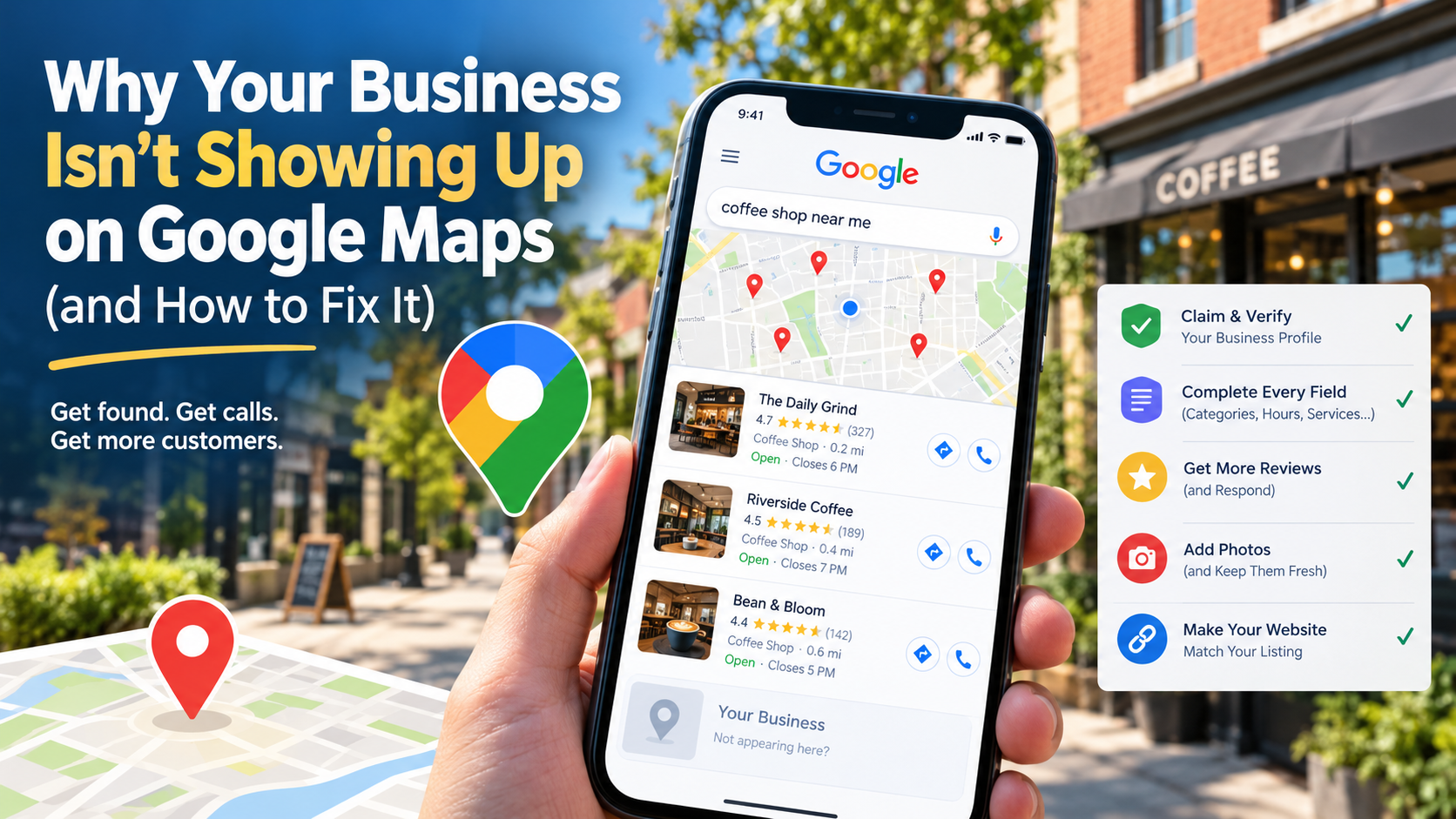
The Search You Never See
A customer in your neighborhood opens Google and types “barbershop near me” — or just pulls up Maps while standing two blocks from your door. Three businesses pop up in the map pack. Yours isn’t one of them. That customer never visits your website, never calls, never knows you exist.
This is how most local businesses actually get found today. The map listing is the new storefront window — and if yours is incomplete, unclaimed, or poorly optimized, you’re invisible to the highest-intent searchers on the internet: people who want to buy something right now, nearby.
The good news: Google Maps visibility is one of the few marketing levers that is completely free and fully in your control. Here’s exactly how to fix it.
Step 1: Claim and Verify Your Google Business Profile
Your Google Business Profile is the panel that shows your hours, phone number, reviews, and photos whenever someone searches your business name. If you haven’t claimed it, Google may have auto-generated a listing from third-party data — often with wrong hours, an old phone number, or missing categories.
Claiming is straightforward. Go to the Google Business page, search for your business name, and verify ownership — usually by postcard, phone, or video verification. Until you’re verified, nothing else on this list sticks. This is the foundation, and I fix it in the first pass of every local SEO cleanup I do.
If you spot a listing for your business that someone else created — an old employee, a former owner — Google has a process to request ownership transfer. Don’t create a second listing. Duplicate listings split your reviews and tank your ranking.
Step 2: Complete Every Field — Most Businesses Stop at 40%
Here’s what separates the top-ranked listings from the invisible ones: completeness. Google rewards profiles that are fully filled out because complete profiles get more engagement — and engagement is what Google measures.
Walk through every field and treat it like a sales conversation:
- Categories: pick the most specific primary category available (“barbershop,” not “beauty salon”; “auto body shop,” not “car repair”). Add relevant secondary categories too. This is the single most misunderstood field — the wrong category makes you invisible for the searches you actually want.
- Hours: include regular hours and holiday hours. A listing that shows “hours may differ” during holidays bleeds trust.
- Services and products: list everything with brief descriptions. An auto body shop should list collision repair, paintless dent removal, bumper repair — each one is another keyword you’re eligible to rank for.
- Attributes: wheelchair accessible, women-owned, appointment required, and dozens more. These become search filters.
- Description: a tight 750-character pitch, not a keyword-stuffed paragraph. Say what you do, who you serve, and where — naturally.
I audit profiles where owners did 20 minutes of setup three years ago and never touched it again. That’s the baseline you’re competing against, and it’s a low bar.
Step 3: Treat Reviews Like a System, Not a Hope
Reviews are the heaviest ranking factor you can directly influence on the map pack — quantity, average rating, and how recently they were posted all matter. Google also reads the words in reviews; a review that says “best fade in Mount Vernon” helps you rank for exactly that.
So build a system:
- Ask at the moment of the transaction. A barber asking “mind dropping us a Google review?” right after a great cut converts far better than a follow-up email three days later.
- Make it frictionless. Generate your review link from the profile dashboard and put it on the receipt, the counter card, the “thank you” text. Every step you remove multiplies response rate.
- Respond to every review — including the bad ones. Responding signals to Google that you’re active, and it signals to prospects that you care. A calm, professional reply to a 2-star review has won businesses customers.
- Never buy or fake reviews. Google removes them in waves, and the penalty for getting caught outweighs years of honest asking.
One consistent 5-star-a-week habit will, over six months, move a listing past competitors who have been coasting on a 4.1 average since 2019.
Step 4: Add Photos — Constantly
Listings with photos get dramatically more clicks, calls, and direction requests than listings without. Customers want to see what they’re walking into: the storefront, the interior, the team, the work.
Upload real photos — the outside of the building so people recognize it, the waiting area, a haircut in progress, a finished paint job. Avoid stock photos; Google and customers can both tell. Then keep adding: one or two new photos a month keeps the listing fresh and signals ongoing activity, which Google rewards.
I’ve seen restaurants jump in the map pack simply because their profile went from zero photos to thirty real ones. It’s that unexploited.
Step 5: Make Your Website Back Up Your Listing
Google cross-references your profile with your website. If your site says “coming soon,” loads in six seconds, or has a different address than your profile, Google trusts the listing less — and so do customers who click through.
The critical alignment points:
- NAP consistency — Name, Address, Phone number identical on the site, the profile, and anywhere else online. Even small differences (“Ave” vs “Avenue”) create doubt.
- Local content — service pages that mention your actual neighborhoods (“auto body repair in Mount Vernon and the Bronx”) give Google the local relevance signals the profile alone can’t.
- Embedded booking and click-to-call — a map-pack clicker is one tap away from your site. If they land on a slow, confusing page with no obvious “Book now” or tap-to-call button, the lead dies there. Speed and mobile experience are non-negotiable — most of this traffic arrives on phones.
This is where the profile and the website work as one system: the profile gets you seen, the site converts the visit. A great profile pointing at a broken website is a leaky bucket.
The 30-Minute Weekly Habit
Once the profile is complete, maintenance is light. Every week: respond to new reviews, post one update (a special, an event, a new service), and add a photo. That’s it. Thirty minutes a week keeps you ahead of every competitor who set up their listing once and forgot about it.
Find Out Where You’re Leaking Customers
If this feels like a lot — or if you’ve done all of it and still aren’t ranking — there’s usually something subtle going on: a wrong category, a duplicate listing, a slow website, or a competitor who’s quietly doing everything above better. The Gorham Web Consulting $299 site audit covers your Google Business Profile, your local SEO, and your website together, and hands you a prioritized fix list. Most owners are surprised how much business is leaking through cracks they’d never noticed.
Want expert help getting your business found online? Visit Gorham Web Consulting to see how I can build a website that helps your small business grow.